Permissions, groups, notifications, dashboards, and automations so cameras, sensors, actuators, and users operate as a coordinated system.
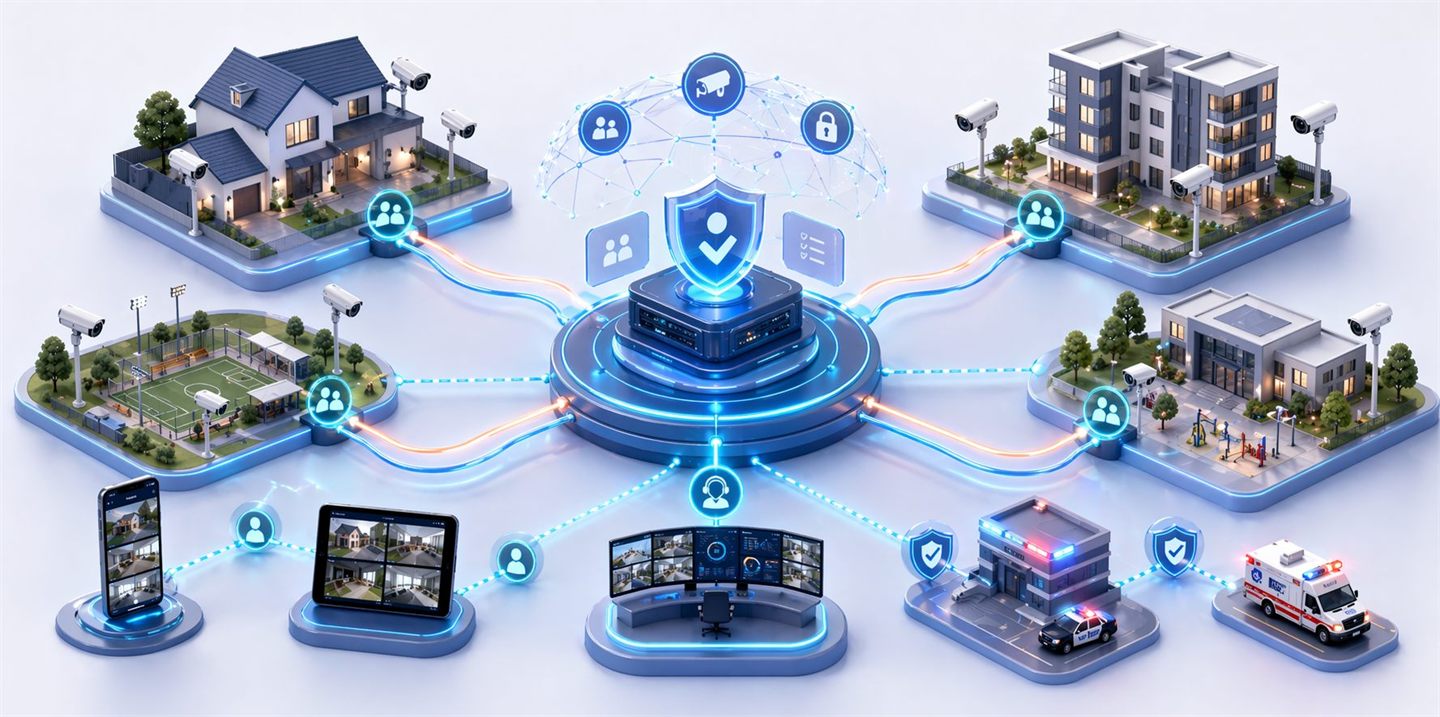
The community concept in Horus
Horus was designed to operate collaboratively without losing control or isolation between environments. Each instance keeps its own devices, users, groups, calendars, permissions, automations, and scenarios.
Horus users can grant partial viewing access to their cameras or specific functionality for other users. Those permissions can be 24/7 or temporary, with start and end dates.
This turns isolated cameras into a managed community: neighbors, residential groups, institutions, operators, or external teams can access the information they need without receiving full control over the camera.
Owners and administrators can invite users with different access levels:
- Administrators: with full control over the environment.
- Guests: with specific permissions limited to their needs.
They can also create user groups to simplify permission, notification, and automation management for full work teams.
Automation for real-world scenarios
Horus becomes especially powerful when devices stop operating in isolation and start responding as an integrated system.
Manual scenarios make it possible to run coordinated actions on demand, such as activating alarms, opening or blocking access points, sending notifications, displaying specific cameras, or executing operating protocols.
Automatic scenarios make it possible to define intelligent rules based on detected events, logical conditions, sensor states, schedules and calendars, user presence, video analysis, and AI.
Notifications and operation
- The platform can generate specific notifications for linked users.
- Repetitive periodic actions can be programmed through scenarios.
- Scenarios organize actions that previously depended on manual intervention.
- The community can operate based on predefined rules and permissions.
Personalized information for each user
Each user has a personal, configurable dashboard made up of visual monitors associated only with the elements they are authorized to access.
This allows each person to see the information relevant to their role while preserving operational simplicity and access security. Dashboards can include live cameras, sensor states, events, alerts, maps, indicators, device controls, and specialized monitors according to the type of element.
IoT integration
Horus can integrate selected IoT sensors to complement camera information. It can also execute physical actions remotely through IoT devices, such as activations, controls, or responses associated with events.